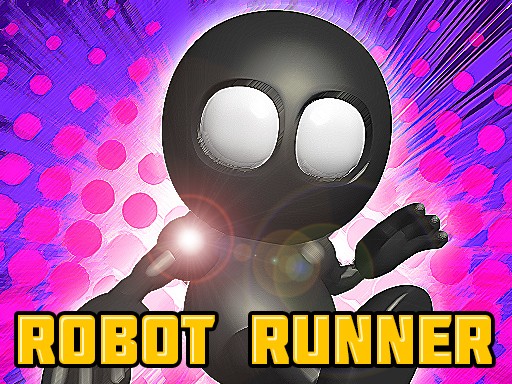
Robot Runner: Factory Dash
Review
Robot Runner: Factory Dash offers a fresh take on the endless runner genre with its gravity-flip feature. The 3D graphics are impressive for a mobile game, and the increasing speed keeps each run challenging. Controls are responsive, making it easy to pick up but hard to master. A solid choice for arcade fans.
About This Game
Game Introduction
Robot Runner: Factory Dash is an endless runner arcade game set in a dark, abandoned factory. You control a robot that automatically runs along an infinite path filled with obstacles, gaps, and other challenges. The game features a unique gravity-flip device that allows you to run upside down on the ceiling to avoid large obstacles. The main objective is to survive as long as possible and achieve your personal best score. With pre-rendered 3D graphics and immersive sound effects, the game offers a fast-paced adventure suitable for players of all ages.
How to Play
Players tap or click to make the robot jump over obstacles and gaps. A designated button activates the gravity-flip device, letting you run upside down to avoid obstacles that are too high to jump over. The game moves forward automatically, so you only need to focus on timing your jumps and gravity flips. Avoid enemies and falling off the platform, as either mistake ends the run. The controls are simple and intuitive, allowing you to concentrate on the action. As you progress, the game speed increases, making it harder to react.
Game Features
Features include pre-rendered 3D graphics that create a realistic factory environment, smooth animations, and background animations that add depth. The game includes a unique gravity-flip mechanic that lets you run upside down. Easy-to-learn controls make it accessible for everyone. The increasing speed provides a growing challenge, and the game may include achievements for setting high scores. Sound effects enhance the immersive experience.
Tips for Success
Practice timing your jumps and gravity flips to navigate obstacles efficiently. As the speed increases, focus on anticipating upcoming obstacles rather than reacting to them. Use the gravity-flip device strategically for large obstacles that cannot be jumped over. Stay calm and avoid panic taps, as precise timing is key. Regular practice will help you improve your reflexes and achieve higher scores.



Comments
0 comments