
What You Actually Do
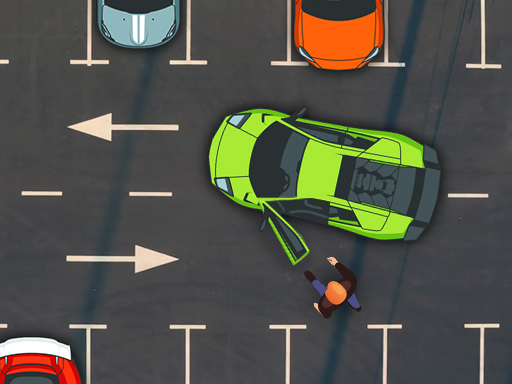
Precision Parking Simulator is built around one repeated task: move a car from its starting position into a marked parking space without touching any barrier or obstacle. The challenge comes from the shape of each space. Straight-in spots ask you to line up and move forward, angled spots require a different entry line, and parallel parking forces you to judge distance while reversing. You control the car with keyboard arrow keys or on-screen controls. Approach slowly, steer to match the parking markers, and adjust your position as needed. The level ends only when the car sits fully inside the marked area and touches nothing. Hitting an obstacle usually means restarting the level.
Why the Difficulty Curve Works
The game does not add artificial pressure. There are no time limits, so a failed attempt costs only the seconds you spent on it. Instead, difficulty rises through scenario complexity. Early straight-in spots teach basic alignment; angled and parallel layouts then demand finer steering and more careful use of mirrors and surroundings. This progression means beginners can finish simple levels while experienced players still find the later parking configurations worth repeating.
Visual Clarity and Feedback
Clear visual markers show where the parking spot begins and ends, and the clean visual design keeps boundaries easy to read. That matters because the core skill here is spatial judgment. When you can see exactly where the car sits relative to the lines, you can correct a bad angle instead of guessing. The result is a calm, focused loop: line up, adjust, complete, repeat.
Who This Suits
Because the content is family-friendly and the controls are simple, Precision Parking Simulator fits players who want low-stress practice rather than fast action. It rewards patience and accuracy, not speed. Anyone working on vehicle control or spatial awareness can use the repeated scenarios to build consistency, and the absence of timers makes it easy to stop and restart without frustration.








Editorial Notes