
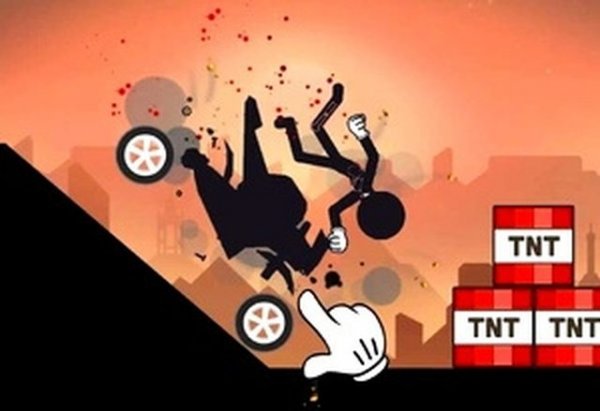
Launching Through Obstacles
The core loop in Stickman Physics Course Navigator revolves around launching a stickman into environmental mechanisms and traps to achieve each course's specific objective. You do not directly steer the character through a platforming sequence; instead, you position and time your launches so the stickman interacts with the course layout in the intended way. Each obstacle is a puzzle piece, and your job is to figure out the right angle, force, and moment to trigger a successful outcome.
Controls and Session Flow
Players use keyboard or mouse inputs to control the stickman's movements and interactions. Before each attempt, the game displays the relevant controls, and reviewing them matters because a single mistimed input can end a run. You can pause when needed, but staying focused during a match is important. Early stages are designed to let you practice basic movement and build confidence before the scenarios grow more demanding.
Escalating Course Complexity
Progression in Stickman Physics Course Navigator works by gradually introducing more demanding objectives. What starts as straightforward launching becomes a sequence of obstacles that require careful observation and quick reactions. Different stages and environments keep each run feeling fresh, and each session offers a different combination of challenges. The visual design helps you identify hazards, bonuses, and useful paths quickly, which supports the trial-and-error rhythm the game encourages.
Approach and Replay
Patience pays off. Observing the environment before acting often reveals a simpler solution than rushing in. Failures are informative: each attempt shows how the physics respond, and adjusting your strategy on the next try is part of the process. Focusing on primary objectives before chasing optional rewards keeps runs efficient. The game is optimized for both desktop and mobile browsers, so sessions can be short or extended depending on how much you want to practice.



Editorial Notes