Digital Paint Palette for Children

Digital Paint Palette for Children

Developer: Tape Shift Works
Updated: 2026-07-21
Art Imagination Children

Reviews

Digital Paint Palette for Children offers a straightforward and secure coloring experience for young kids. The image selection is varied enough to hold interest, and the color palette provides plenty of options. The print feature is a nice touch, turning screen time into a physical memento. Parents will appreciate the complete absence of ads and inappropriate content. The interface is intuitive, allowing even toddlers to play independently. While it lacks advanced features like saving digital files, its simplicity is a strength for the target age group. Overall, it is a reliable tool for fostering creativity in a controlled digital environment.

About This Game

Simple Picture Selection

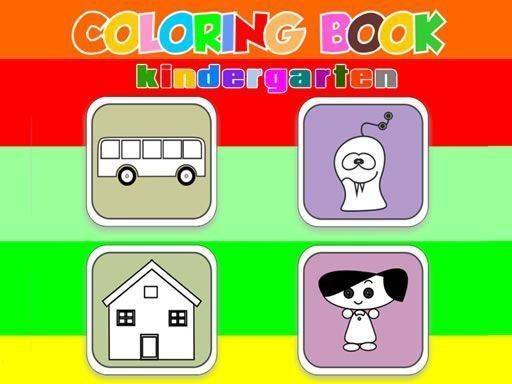
Children begin by browsing through a collection of outlined images. These pictures range from animals to everyday objects, giving young artists plenty of options to match their current interests. The selection process is straightforward, requiring only a click to choose an image. This allows kids to start coloring quickly without complicated menus or instructions.

Color Palette and Application

Once a picture is selected, a wide range of colors appears on the screen. Children pick a shade and then click on the area they wish to fill. The tool applies color neatly within the lines, helping kids achieve a clean look. If a mistake happens, an eraser function lets them remove color and try a different hue. This trial-and-error process supports learning about color combinations and spatial awareness.

Independent Play and Fine Motor Development

The interface is designed so that even very young children can navigate it on their own. Large buttons and clear icons reduce confusion. As kids click to fill areas, they practice hand-eye coordination and develop fine motor skills. The activity encourages focus and patience, as completing a picture requires attention to detail. Parents can feel comfortable leaving their child to play without constant supervision.

Sharing Completed Artwork

After finishing a picture, the game offers a print option. Families can produce a physical copy of the child's work to display at home or give as a gift. This feature turns a digital activity into a tangible keepsake, reinforcing a sense of accomplishment. Printing also allows children to share their creations with relatives who may not use computers, bridging the gap between online play and real-world connection.

Safe and Ad-Free Environment

The game contains no advertisements, external links, or inappropriate content. This design ensures that children can explore their creativity without encountering distractions or material unsuitable for their age. Parents do not need to worry about accidental clicks leading to other websites. The focus remains entirely on the coloring experience, providing a secure digital space for artistic expression.

Compatibility

▸ Desktop: Chrome / Edge / Firefox / Safari
▸ Mobile: iOS Safari / Android Chrome
▸ Tablet: iPadOS Safari / Android Tablet Browser
Keep your browser updated for the best experience

Faq

What age group is Digital Paint Palette for Children designed for?
The game is intended for young children, typically ages 3 to 8. The simple click-to-color interface and large buttons make it accessible for preschoolers, while the variety of images can engage early elementary students.
Can I use this game on a tablet or smartphone?
The game is designed primarily for use with a mouse on a computer. It may work on some tablets with a touch screen, but the interface is optimized for click-based interaction. Check the specific device compatibility before use.
Are there any in-app purchases or hidden costs?
No. The game is completely free to play with no in-app purchases, subscriptions, or hidden fees. All images and colors are available without any additional charges.
How many pictures are available to color?
The game includes a rotating selection of images. While the exact number may vary, there are typically several dozen pictures to choose from, covering themes like animals, nature, and everyday items.
Is there a way to save digital copies of the artwork?
The primary way to keep finished artwork is through the print function. Some browsers may allow you to save the printed page as a PDF, which can be stored digitally. The game itself does not have a built-in save feature for digital files.
Does the game include any educational elements beyond coloring?
While the main focus is creative expression, the activity indirectly supports learning. Children practice color recognition, develop fine motor skills, and learn cause-and-effect as they see their color choices appear on screen.

Comments

0 comments
U
User
Loading comments...

Similar Games