
One-Button Jumping, Puzzle-First Layouts
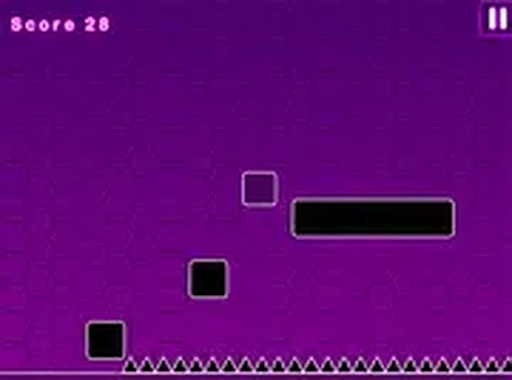
Block Path Puzzle Runner reduces platforming to a single action: jump. On mobile you tap; on desktop you press a key. That one input moves a small square through side-scrolling courses where the real challenge is reading the layout before you move. Spikes sit along the path, and any contact sends you back to the start of the stage. Because the game gives you no timer or score, failure costs only the seconds you spent on the attempt. [IMG_1] The puzzle element comes from sequencing. You study where hazards sit, decide when to jump, and repeat until the timing holds.How Difficulty Builds
Early stages keep things plain: a single gap, one spike, a clear line to the glowing portal at the end. Later layouts stack hazards into tighter sequences, so a jump that worked alone now has to chain into the next one without a pause. The curve stays gradual, which means newcomers can build confidence before the patterns get dense. Each stage ends at a portal that acts as the finish line. There is no ranking system, so the only measure of progress is whether you cleared the course. [IMG_2]Minimalist Look, Broad Device Support
Clean lines and solid colors keep the screen uncluttered. That matters for a game about spotting obstacles: nothing decorative competes with the spikes or the gaps you need to judge. The same simplicity keeps performance steady on older computers and budget smartphones, and a full-screen mode is available if you want a larger view. Load times are short because there are no complex animations or effects to process.Who It Suits
One-button controls make Block Path Puzzle Runner approachable for young children and for players who rarely touch games. There is no text-heavy tutorial and no complicated menu. It runs in a web browser without installation and is free to play, with no ads interrupting a run. If you want a puzzle you can retry without pressure, this fits that space.Compatibility
This H5 game runs smoothly on:
• Desktop computers (Windows / Mac) • Mobile phones (iPhone / Android)
• Tablets (iPad / Android)
🌐 Best experienced with Chrome, Safari, or Edge








Editorial Notes