
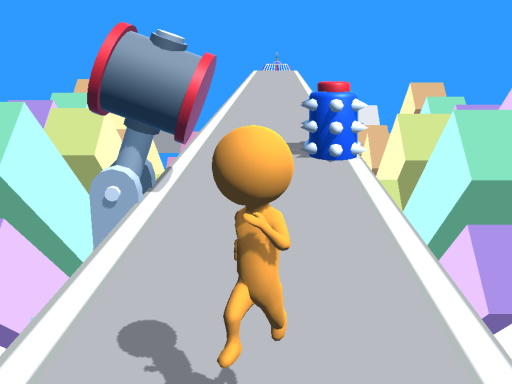
One-Tap Running in Gradient Streets
Gradient Runner Arcade strips the endless runner down to a single action: tap or click to make a stickman jump. The character moves automatically through city streets rendered in shifting color gradients, so your only job is reading the road and timing each jump. Barriers and gaps appear in the path, and hitting one ends the run immediately. There is no attack button, no power-up meter, and no secondary control to manage. That narrow focus is the point: the game lives or dies on how well you judge distance and rhythm under pressure. [IMG_1]How Speed Changes the Challenge
Every run begins at a manageable pace, then accelerates as you survive. That rising speed reshapes the same simple mechanic. Early jumps are forgiving; later ones demand faster recognition and cleaner timing, because the window between seeing an obstacle and clearing it shrinks. Because the game rewards precision rather than reaction alone, players who scan ahead and jump at a consistent rhythm tend to last longer than those who tap reactively. [IMG_2]Random Obstacles, Repeatable Runs
Obstacles and gaps are randomly generated, so no two attempts follow the same layout. You cannot memorize a sequence or brute-force a pattern. Instead, you build general timing habits that transfer across runs. This design keeps short sessions meaningful: a three-minute break can produce a new personal best, and a failed run rarely feels unfair because the next layout will differ. [IMG_3]Who This Suits
Gradient Runner Arcade targets players who want quick, low-commitment sessions on any device. The tap control keeps it accessible to casual players and children, while the escalating speed gives experienced players a reason to keep pushing their score. The absence of power-ups or collectibles means improvement comes from your own timing, not from unlocking advantages. It is a score-chasing game first and foremost.Compatibility
▸ Desktop: Chrome / Edge / Firefox / Safari
▸ Mobile: iOS Safari / Android Chrome
▸ Tablet: iPadOS Safari / Android Tablet Browser
Keep your browser updated for the best experience









Editorial Notes