
Tournament Structure and Team Choice
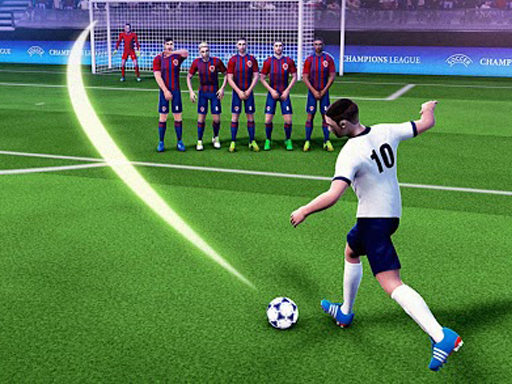
Free Kick Soccer Tournament puts you in charge of a real national team from a major international competition. You begin in the group stage and must earn your way through playoff matches to reach the grand final. The format gives every session a clear goal: score enough and save enough to keep advancing. Because the tournament rewards consistent results rather than one lucky shot, you are encouraged to learn each mode properly before the knockout rounds begin.
Four Modes, Four Skills
The game splits its challenge across four distinct modes. In Free Kick mode, you aim and shoot while reading the goalkeeper's position. GK Save mode flips the role, putting you in goal to block incoming shots. Combined mode asks you to handle both attacking and defending in a balanced test. Arcade tasks place targets on the goal for bonus points, turning accuracy into a scoring exercise. Each mode isolates a different skill, so switching between them keeps practice focused instead of repetitive.
Reading the Goalkeeper and the Shooter
Success depends on timing and observation. When shooting, you learn the ball's trajectory and how the goalkeeper moves across the line. When saving, you watch the shooter's body language to anticipate direction. These cues are the core feedback loop: misread them and the ball goes the wrong way. Arcade target challenges then sharpen your precision, because hitting a specific spot is harder than simply finding the net.
Session Length and Accessibility
Controls are simple and intuitive, which keeps the game open to younger players and anyone wanting a quick match. You can play short sessions or longer stretches, since the tournament structure lets you stop between stages. The content stays family-friendly throughout, with no violent or inappropriate themes. That combination of easy input and skill-based outcomes makes it a practical choice for casual sports fans who want a clear progression path.








Editorial Notes